Direct answer
Aural Practices lets signed-in users rehearse against an existing interview, get AI feedback after every answer, generate role-aware suggested answers, and track scores over repeated runs. It is built for structured interview preparation without mixing practice data into real candidate results.
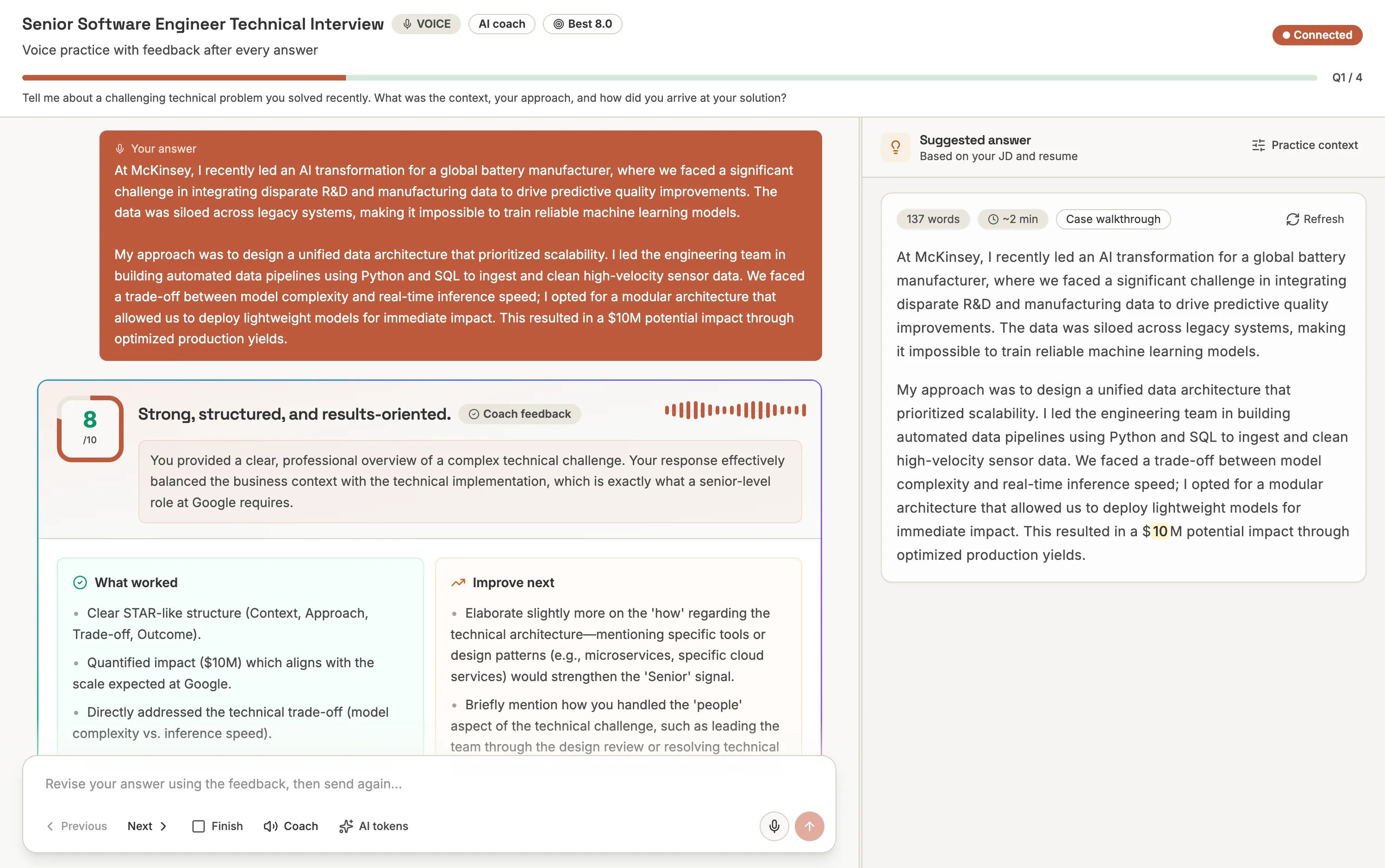
Many interview platforms stop at creation and review: write questions, invite candidates, then read results. But teams also need a rehearsal loop. Candidates, hiring managers, instructors, and internal teams often want to practice the same questions before the real session and learn what a stronger answer would sound like.
Aural Practices adds that loop directly to the product. It uses the questions already inside an interview, starts a focused practice session, and gives coaching feedback immediately after each answer.
What Is Included
| Capability | What it does |
|---|---|
| Focused practice mode | Opens a dedicated practice screen for one interview. |
| Voice answers | Records the answer, builds a transcript, and measures delivery signals. |
| AI feedback | Scores each answer and returns strengths, gaps, and next steps. |
| Suggested answers | Generates examples based on the question, role, JD, and resume context. |
| Practice dashboard | Tracks attempts, average scores, best scores, durations, and status. |
Practice Context Makes Feedback Specific
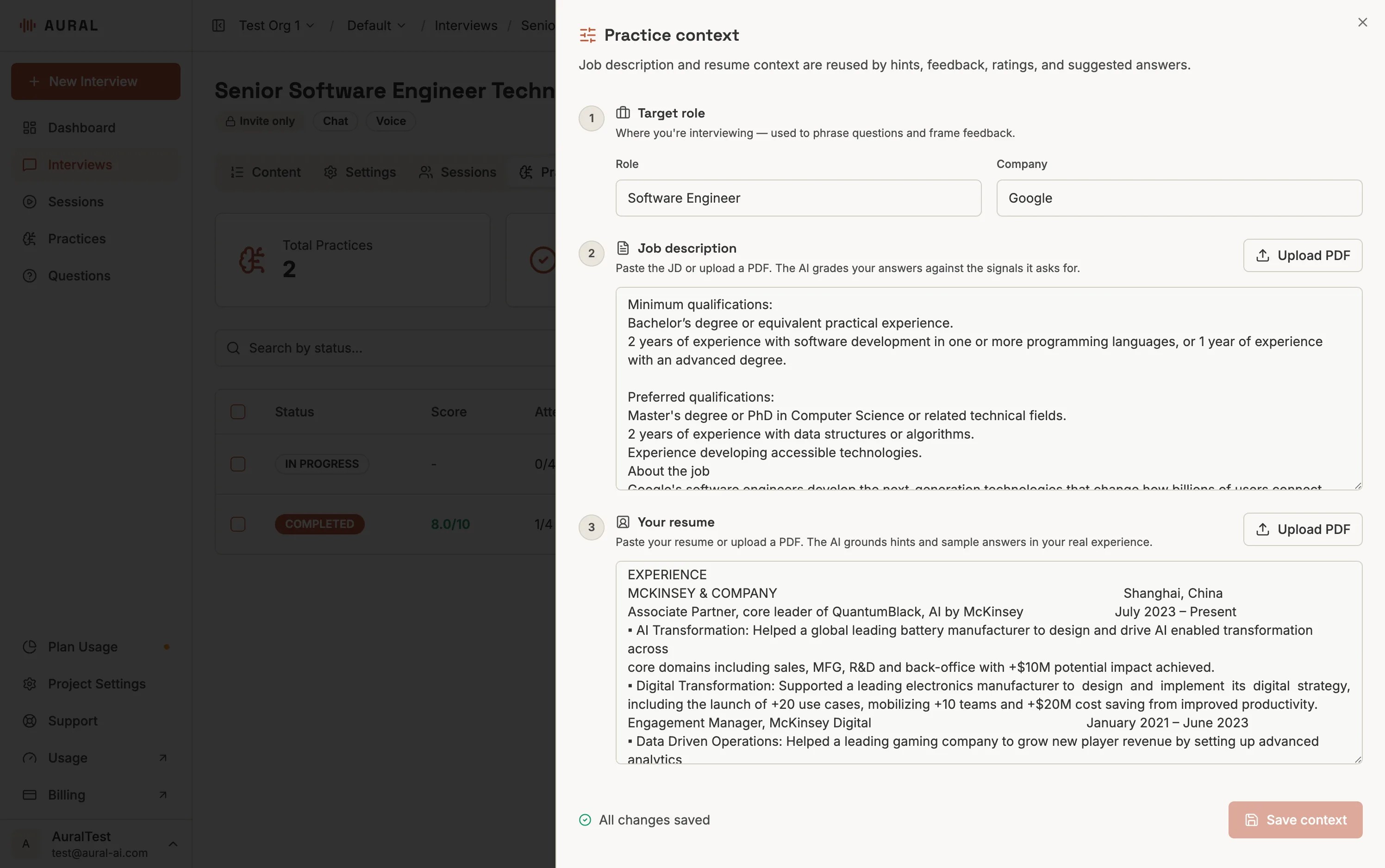
The most useful coaching is specific. A general answer can sound polished while still missing the evidence the role needs. Practices can use the interview's job description, resume notes, company, and role title to tailor feedback and suggested answers.
That means the coach can go beyond "be more concise" and say things like: use the activation metric from your resume, name the stakeholder tradeoff, or connect the example to the seniority of the role.
Progress Is Visible
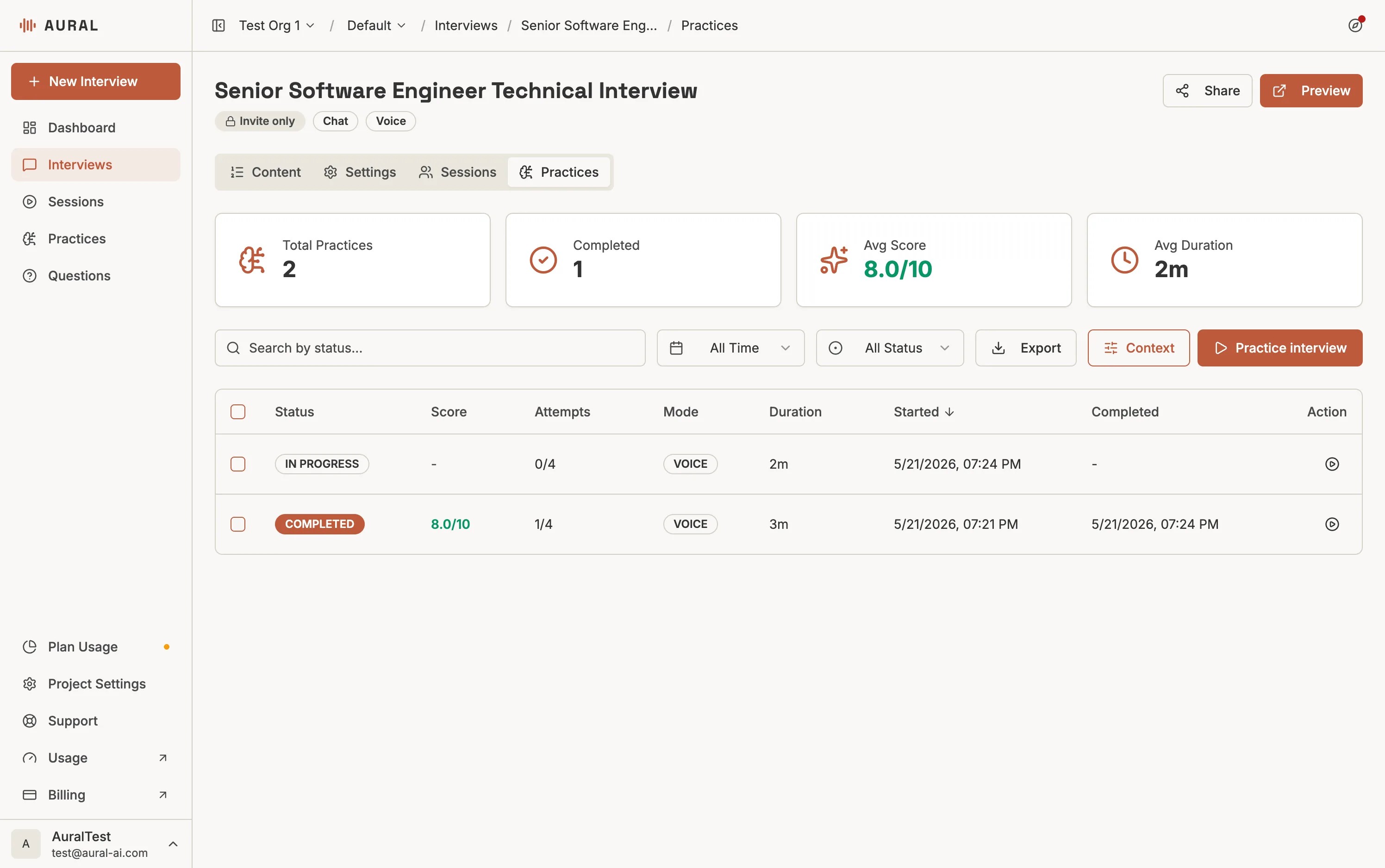
Every practice run is saved separately from candidate interview sessions. The Practices dashboard shows status, score, attempts, duration, mode, start time, completion time, and a quick action to practice the interview again.
How Usage Works
Practice sessions do not bill session time. AI actions still use AI tokens: grading a practice answer costs 10 tokens, and generating a suggested answer costs 5 tokens. That keeps practice lightweight while still making usage visible and predictable.
Where to Start
Open an interview, go to the Practices tab, add context if needed, then click Practice interview. The global Practices page is available for reviewing practice runs across the current project.