Direct answer
Aural's practice workflow now makes the next step easier to choose: teams can launch practice directly from an interview, test the candidate-facing flow with a clearer label, save strong answers into the answer bank, and see both AI token usage and credit balance from the same menu.
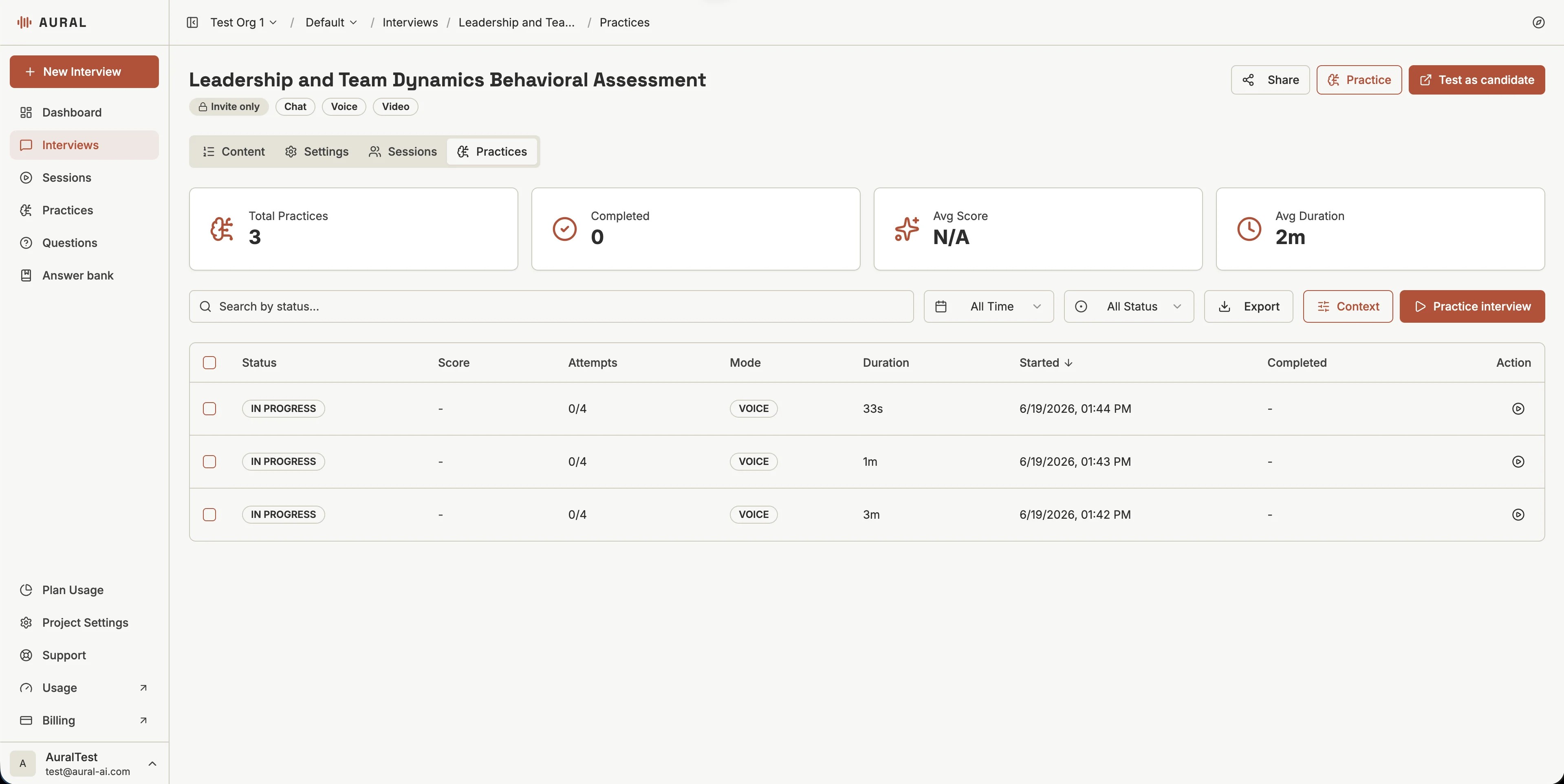
Interview prep works best when each screen answers one question: what should I do next? The latest Aural updates focus on that moment. We tightened the practice entry points, made candidate testing more explicit, and gave saved answers a clearer home.
Clearer Practice Entry Points
The interview workspace now separates two related but different actions. Practice opens the coaching experience for the current interview. Test as candidate opens the candidate-facing preview, replacing the older Preview label with a phrase that says what actually happens.
Inside the Practices tab, the Practice interviewaction still starts a new rehearsal run, while Contextkeeps role, resume, and job-description inputs close to the practice workflow.
AI Balance Is Easier to Understand
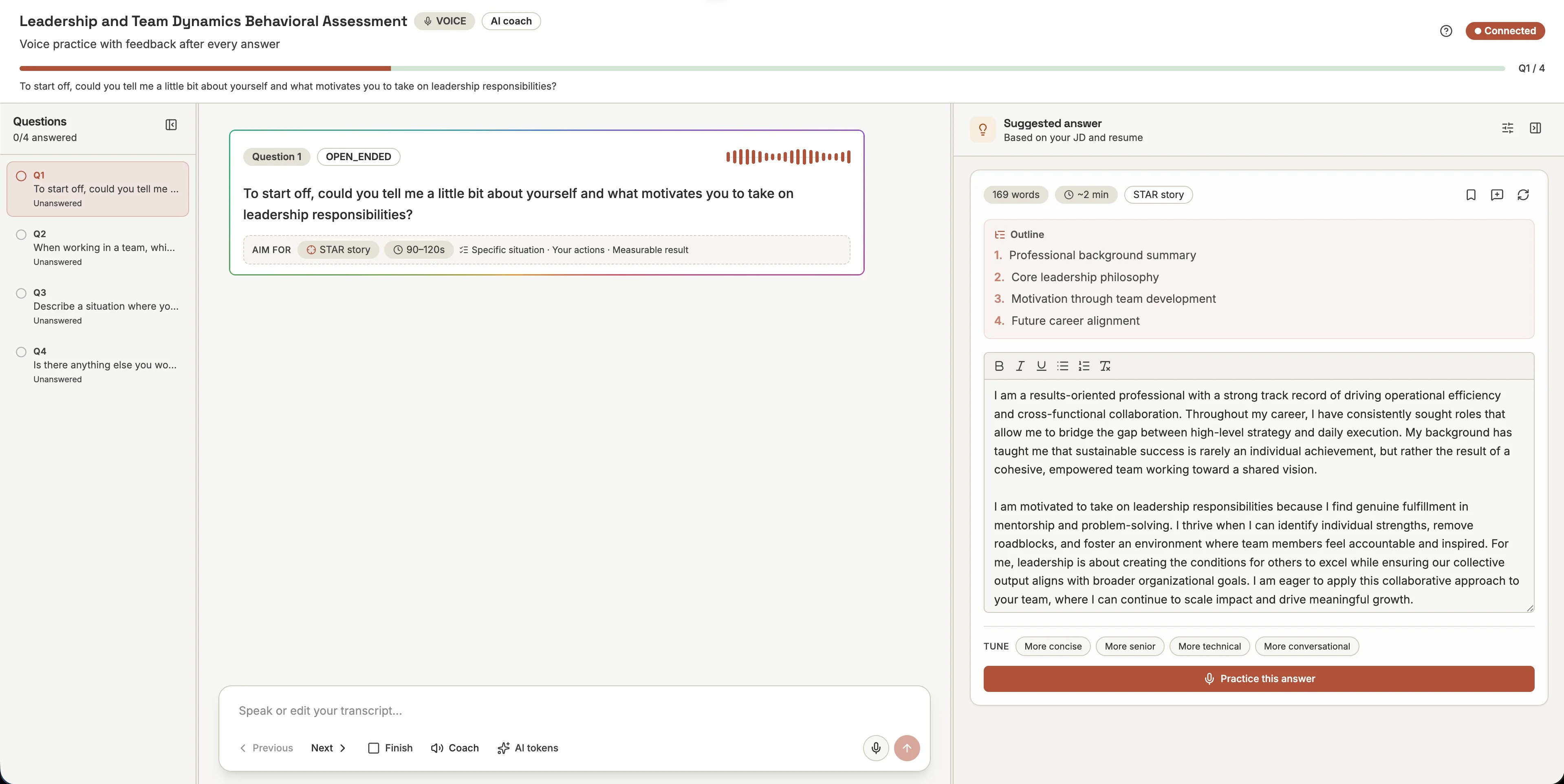
The AI tokens menu now mirrors the structure of Plan Usage. It shows the current plan badge, remaining included AI tokens, credit balance, and a Purchase call to action in one compact panel. The copy also explains that credits are used automatically when included AI tokens run out.
That distinction matters because practice grading and suggested answers can draw from the same credit system users rely on elsewhere. Users no longer have to infer whether credits can cover AI token overage.
Feedback Now Points to the Next Action
The practice session has a stronger action layer around feedback: retry an answer, study a sample, save a draft, move to the next question, or jump into a more realistic candidate-style run. When the feedback state calls for it, Next best move can link directly to practice the same question in real interview settings.
This turns feedback from a static score into a workflow. Instead of reading comments and deciding where to go, users get a contextual next step tied to the question they just answered.
Answer Bank Gets a Real Place in the Sidebar
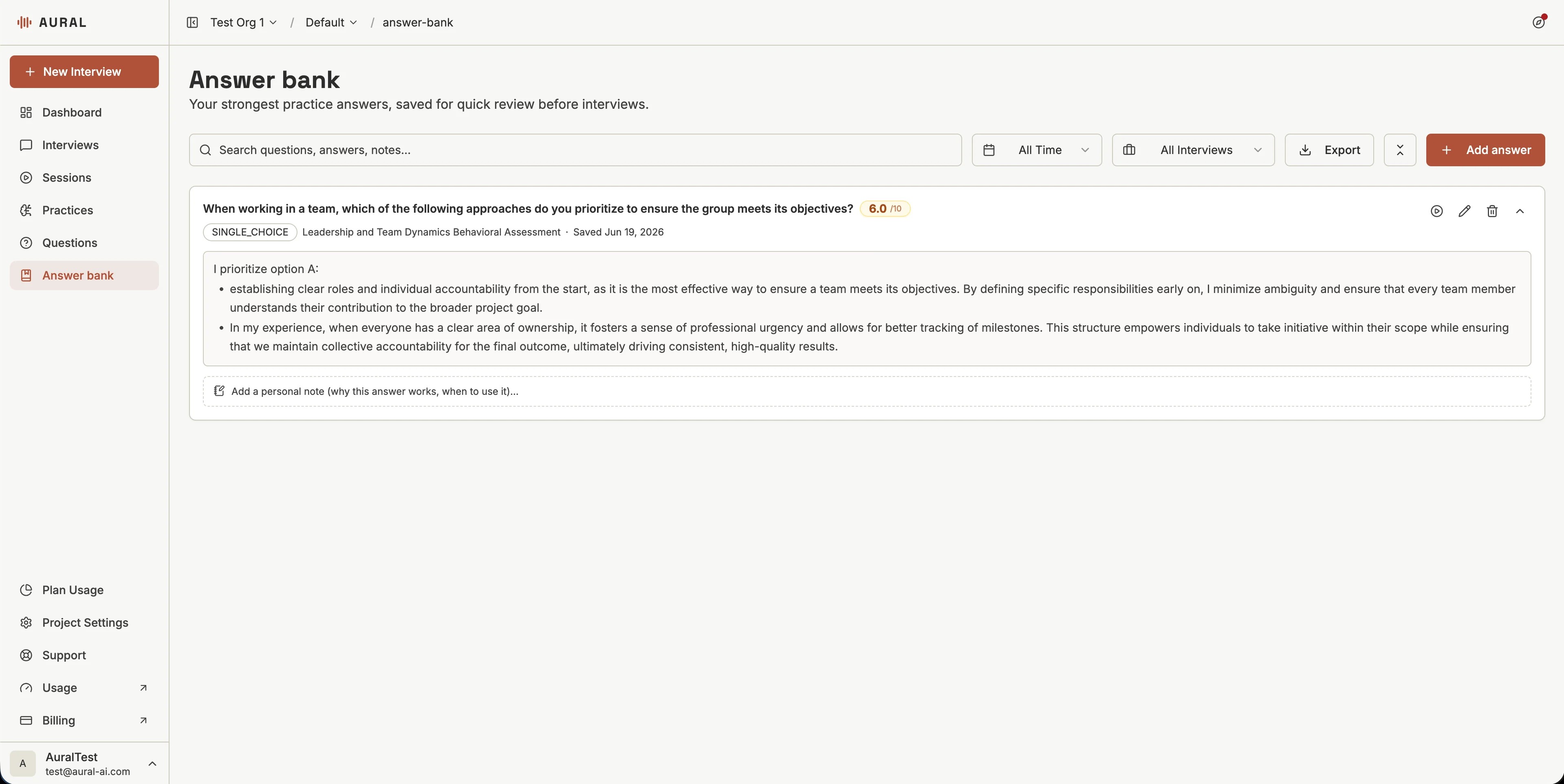
Strong practice answers now live in the Answer bank, a dedicated page for reviewing saved responses before an interview. The sidebar order now places Questions before Answer bank, so question management stays first and saved answers sit right after it as a review layer.
Saved answers can include the original question, interview context, score, and the response itself. That makes the answer bank useful both for last-minute review and for building a library of examples that improved over time.
Why This Update Matters
Practice is most useful when it feels close to the real moment but still gives users room to revise. These changes make that loop more direct: rehearse with coaching, save what works, spend credits with clearer expectations, and test the candidate experience without guessing what a button means.