For Creators
AI Interview Anti-Cheating
What AI interview anti-cheating means, what signals Aural can monitor, and how teams should use integrity logs fairly.
Direct answer
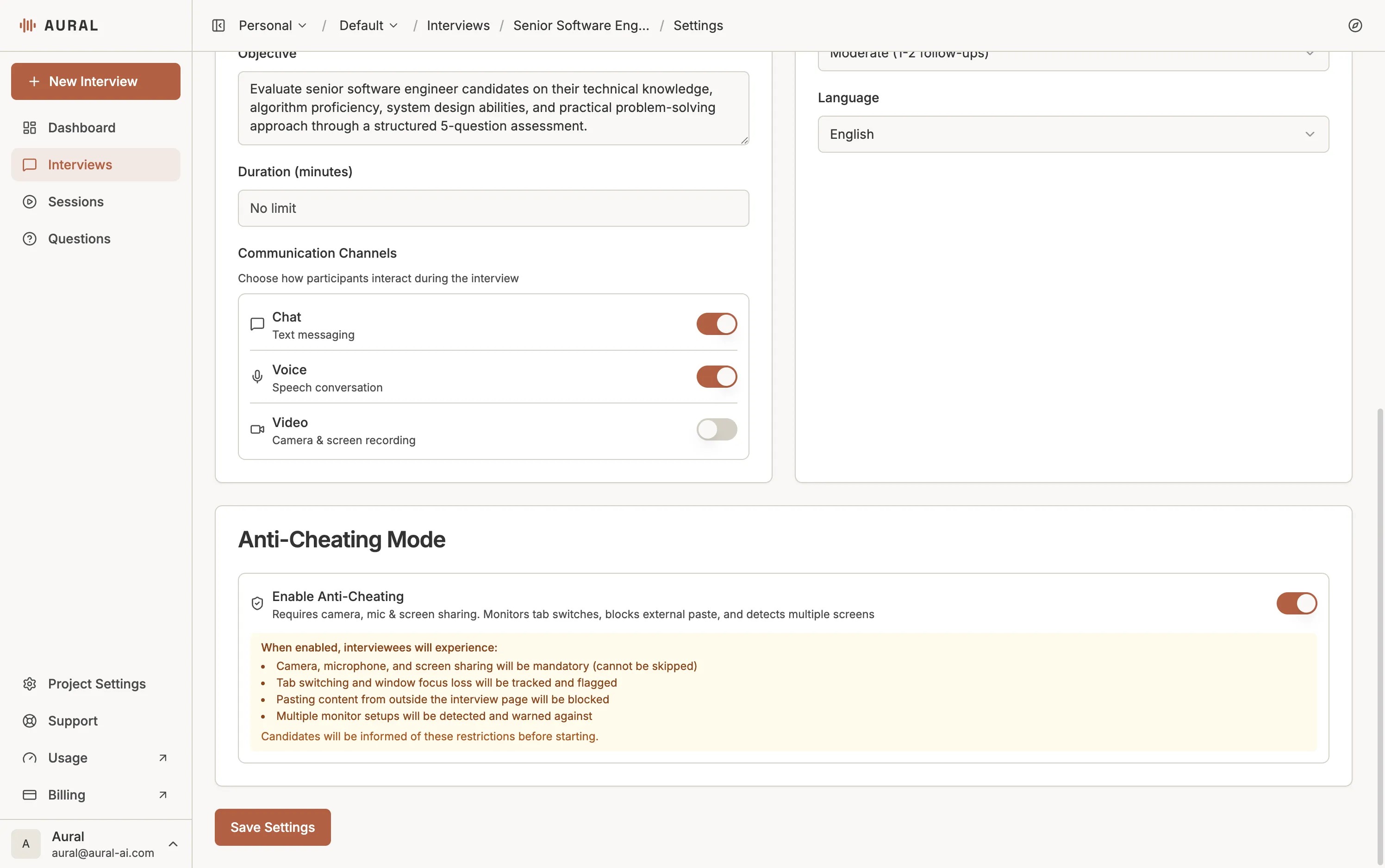
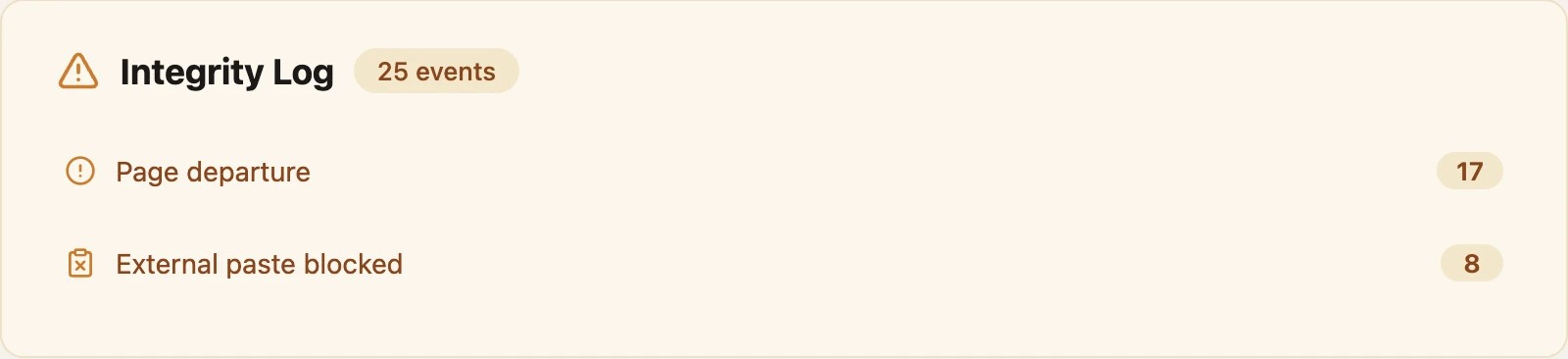
AI interview anti-cheating uses browser and session signals to protect assessment integrity. In Aural, teams can enable anti-cheating mode to monitor page departures, paste attempts, and other integrity events, then review those signals alongside the transcript and assessment result.
What It Can Detect
Page departures
Flag when a participant leaves the interview tab during a monitored session.
Paste attempts
Block or log paste behavior in contexts where original responses matter.
Multi-screen signals
Detect available browser or display signals that may indicate extra screens.
Integrity timeline
Review events after the session instead of relying on memory or guesswork.
How to Use It Fairly
- Tell participants what is monitored before the session starts.
- Use anti-cheating mainly for assessments where originality matters.
- Review logs as signals, not final judgments.
- Allow accommodations for accessibility and device constraints.
- Pair integrity logs with transcript evidence and human review.
Best Fit
Anti-cheating controls are most useful for coding interviews, knowledge checks, certification-style evaluations, and high-stakes first-round assessments. They are usually less important for exploratory user research or casual practice sessions.