Practices Overview
Learn how Aural Practices turns an existing interview into a repeatable coaching workspace with voice practice, AI feedback, suggested answers, and score tracking.
What Practices Does
Practices lets you rehearse against the questions in an existing interview without creating real candidate sessions. Each run opens a focused coaching experience where the AI asks the interview questions, listens to your answer, scores the attempt, and gives specific feedback before you move on.
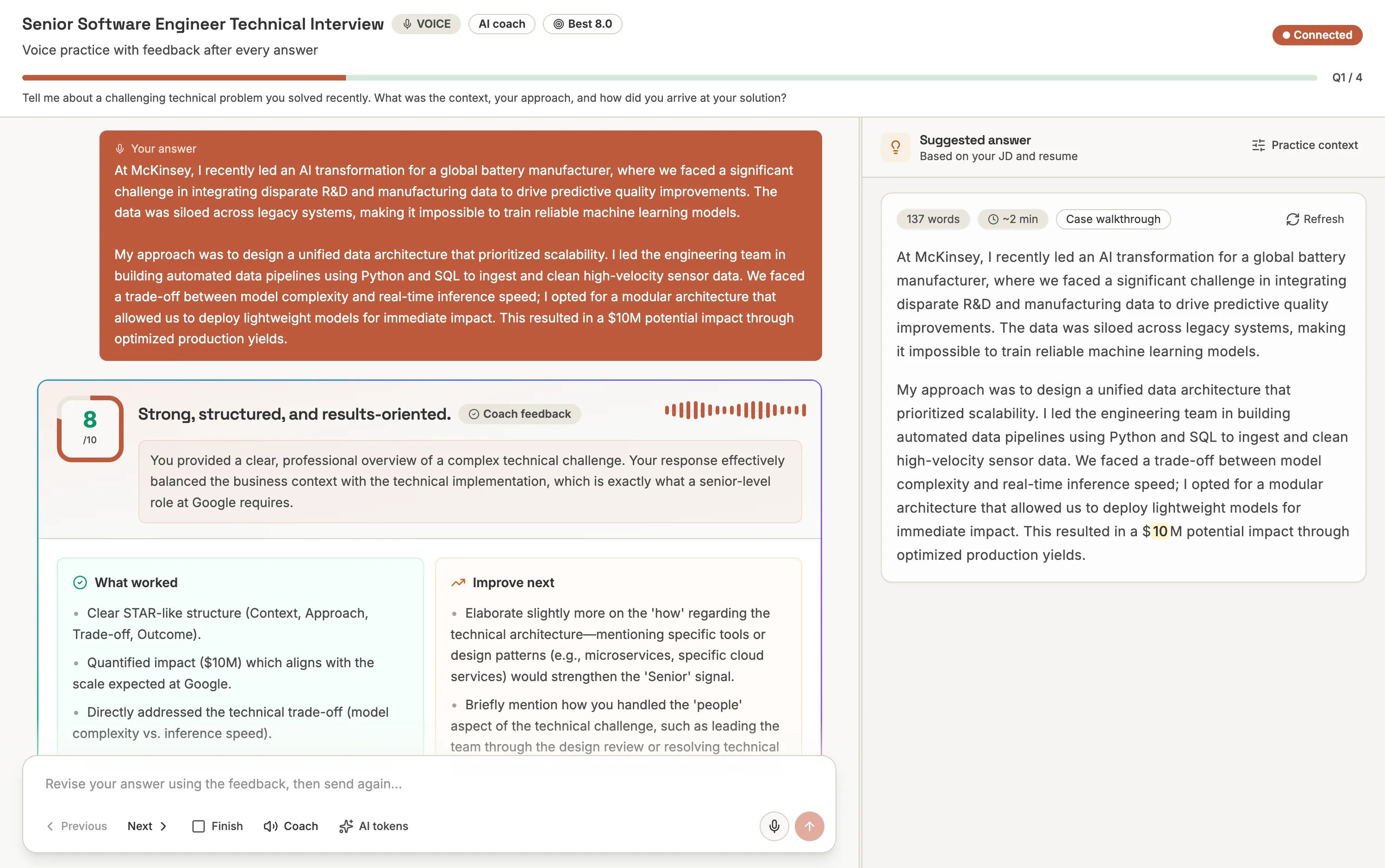
Interview-native practice
Voice-first coaching
Feedback after every answer
Suggested answer support
Where to Find Practices
- Global Practices page - open
/practicesto review practice runs across the interviews in your current project. - Interview prep tab - open an interview, then go to the Practices tab to manage context and review runs for that specific interview.
- Focused practice mode - click Practice interview to open a dedicated practice session in a new tab.
Practice is not a candidate session
Practice sessions are saved separately from real interview sessions. They do not consume session time, appear in candidate results, or replace completed candidate interviews.What Gets Saved
Aural saves practice sessions and answer attempts so you can measure progress over time. Saved data includes the interview, practice mode, status, start and completion timestamps, total duration, submitted answers, per-answer feedback, attempt count, average score, and best score.