Setting Up Practice Context
Add role, company, job description, and resume context so Aural can tailor practice feedback and suggested answers to the interview goal.
Why Context Matters
Practice context gives the AI coach the background it needs to judge whether an answer proves the right signals. Without context, Aural can still score clarity and structure. With context, it can also tell you where to use resume evidence, which role expectations are missing, and how to make an answer sound more specific to the opportunity.
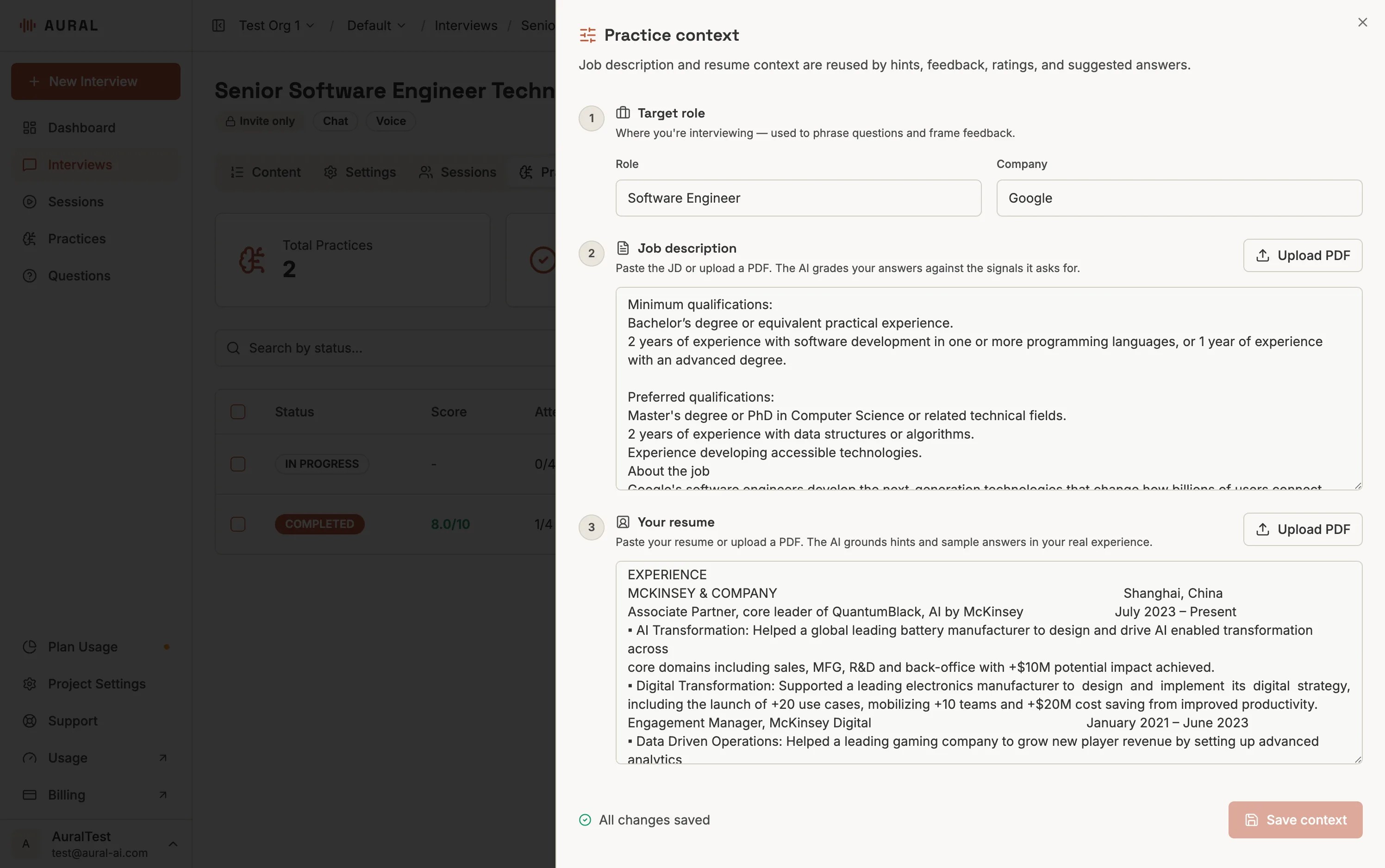
Open the interview Practices tab
From an interview editor, choose Practices. This tab shows previous runs and includes the context control.
Click Context
Open the context drawer and add the company name, role title, job description, resume notes, or any role-specific background the AI coach should consider.
Save before generating examples
Suggested answers are most useful after context is saved because the answer can reference the target role and the candidate's strongest evidence.
Best Inputs
- Job description - responsibilities, required skills, seniority, and success criteria.
- Resume notes - achievements, projects, metrics, tools, and leadership examples that should be reused in answers.
- Company and role title - enough context for the AI to calibrate tone, specificity, and business impact.
Keep context concise
Paste the strongest role and resume details instead of a long archive. Better context usually means fewer but clearer signals: scope, metrics, constraints, tools, and impact.